Project · Web app · SaaS
Laser Layers
From image to machine-ready layers in a few clicks.
What it solves
Fast, clean layer prep for laser and craft
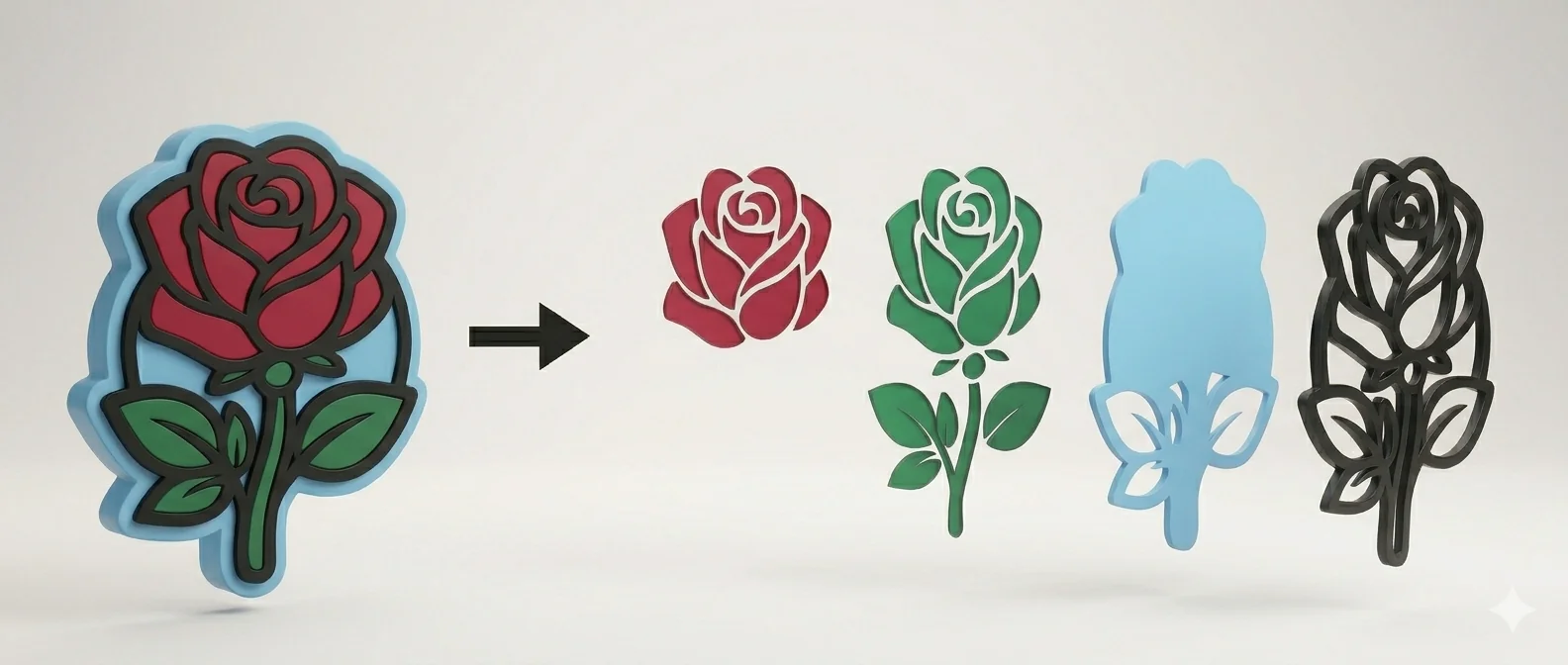
Prepping artwork for a laser/cutter is often slow, manual work — splitting colors into separate layers, cleaning up, exporting. Laser Layers automates it: drop in an image and the tool breaks it into clean, separate machine-ready layers.
How it works
Upload, split, export
Upload image
Upload a raster image (JPG, PNG) — nothing to install, everything runs in the browser.
Auto-split
The tool splits the image into multiple layers by color and tone, with clean edges.
Export
Export as SVG or PNG optimized for laser, Cricut, Silhouette or vinyl.
Machine-ready
Each layer is a separate file — straight into the machine, no manual cleanup.
Tech
What powers Laser Layers
For whom
Who uses Laser Layers
Laser/craft studios, personalized-gift makers, Cricut/Silhouette hobbyists — anyone who needs fast, clean layer prep without Photoshop or Inkscape.
Billing is one-time, with no subscription: you buy a token pack and spend it at your own pace. One token = one conversion, tokens never expire, and every new purchase adds to your existing balance. Free trial — no card required.